Moving to Digital Consent and Never Looking Back: A One-Week Migration Guide for Tattoo Studios
Most artists who move to digital consent say the hard part was deciding, not doing. This guide covers the doing: a day-by-day plan to switch from paper to digital consent forms in about a week, what to do with the paper forms you already have, how to get staff and guest artists comfortable, the pitfalls studios commonly hit, and a checklist you can work through.
Artists who have moved to digital consent forms rarely want to go back to paper, but a few things about the switch itself tend to catch them out. This guide is about the switch. If you are still deciding whether to move at all, start with our breakdown of the practical reasons artists switch to digital consent forms. If you have decided, here is a realistic plan for doing it in about a week without disrupting your bookings.
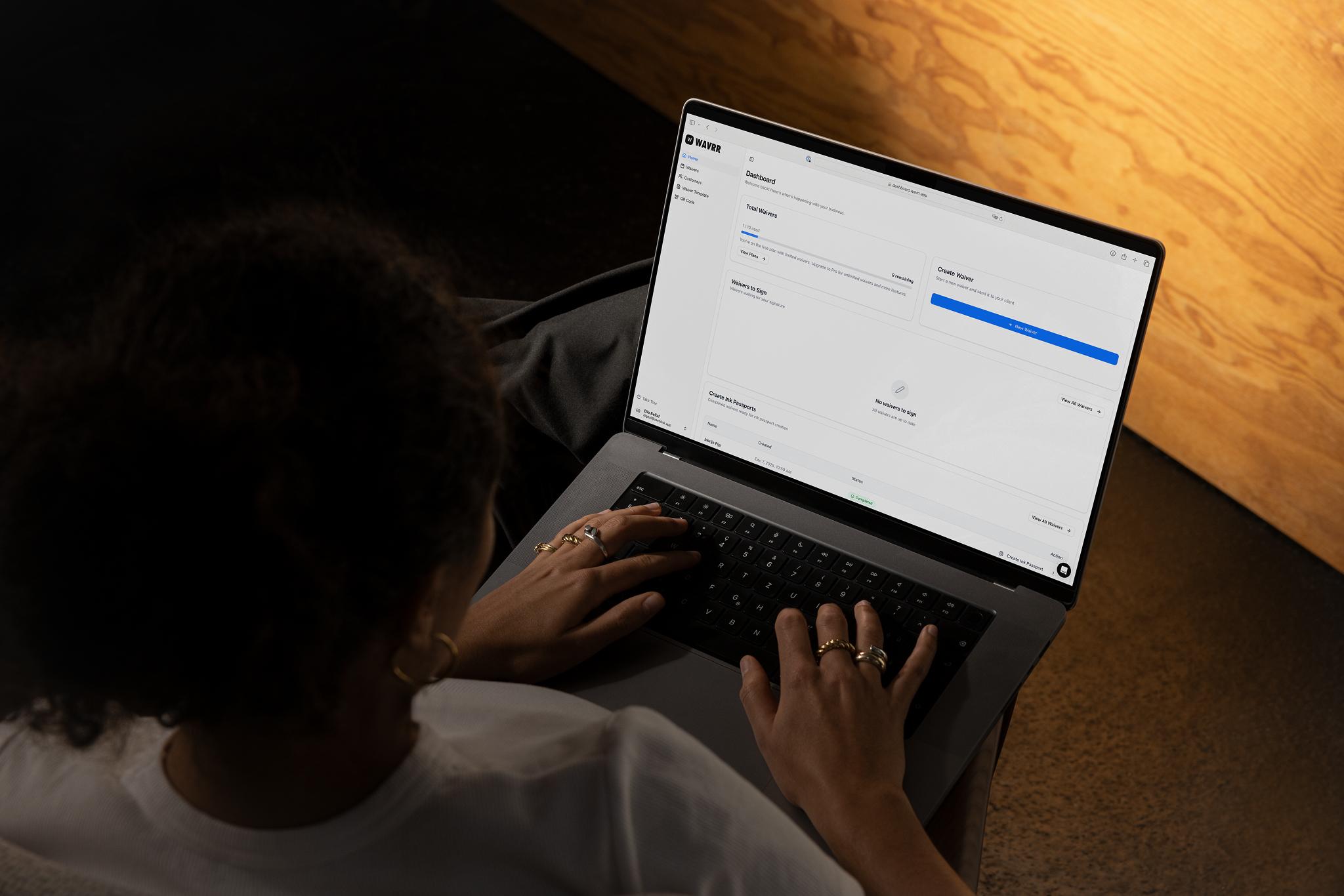
The examples use Wavrr, but most of the steps apply to any digital consent tool.
Before you start: decide three things
Three decisions shape everything else, so make them first.
- Who owns the setup. One person, usually the owner or studio manager, should build the template and make final calls. Committees produce forms nobody likes.
- Your cut-over date. Pick the day from which all new clients sign digitally. Having a date stops the "we'll do both for a while" period from dragging on.
- What happens to paper. Decide now what you will do with your existing paper archive (more on that below), so it does not become an excuse to delay.
The one-week plan
Day 1: account and studio details
Create your account, then add your studio details so they appear on signed forms. On the Studio plan, add your artists to the studio roster so each waiver can be assigned to the right person. Install the iOS or Android app on the devices you will use at the counter.
New accounts start on the Free plan with 3 consent forms, which is enough to test the whole flow before you pay. See what the Free plan includes.
Day 2: build the template
Start from your current paper form, not a blank page. Wavrr has starter templates for tattoo, piercing, and PMU you can adapt, and an AI template builder is being rolled out that drafts a template from a description of your studio and services. Either way, follow create your first waiver template and:
- Move every question from the paper form across, then remove anything nobody reads.
- Turn health questions into proper health and medical questions instead of free text where possible.
- Set up minors and guardian consent to match your policy.
- Decide whether to ask for photo ID.
- Set the template as default.
Moving to digital is a good moment to have the wording reviewed. Requirements differ by country and region, so check with your local health authority, insurer, or a lawyer rather than copying another studio's form.
Day 3: test it like a client
Have two or three people who did not build the form sign a test waiver on their own phones, watch where they hesitate, and check the signed PDF and confirmation email. See what the client sees when they sign.
Day 4: set up signing channels
Decide how clients will get the form:
- By link in your booking confirmation, via email, Instagram DM, WhatsApp, or whatever you already use. See share a waiver by link.
- By QR code at the counter for walk-ins and anyone who forgot. See print and place a QR code.
- In person on a studio phone or tablet as a fallback. See sign in person.
Update your booking confirmation template to include the link. Wavrr is not a booking tool, so this is a one-time edit in whichever booking system or message template you already use.
Day 5: train the team
Training rarely needs more than half an hour. Cover:
- How to check whether a client has signed before they sit down.
- What to do when a client has not signed: point them to the QR code.
- How to assign a waiver to the right artist and find a client's consent history.
- How to download or resend a signed PDF when a client asks for a copy.
- If you track inks, how to save inks and create an ink passport for a session.
Have each person sign one test waiver and look it up afterwards. Doing it once is worth more than any explanation.
Days 6 and 7: go live
Switch over on your chosen date. Keep a few paper forms in a drawer for real emergencies only, such as an internet outage, and note any you use so they can be added to the client's record later.
What to do with your existing paper archive
You do not need to digitise every old form to go digital. Most studios take one of these approaches:
| Approach | What it involves | Suits |
|---|---|---|
| Keep and box | Store existing forms securely, sorted by year, and start digital from today | Most studios; least effort |
| Scan on return | When a returning client comes in, they sign a new digital form; old paper stays archived | Studios with many regulars |
| Scan everything | Scan all paper forms into your own secure storage | Studios that need fast access to old records |
Whichever you choose, check how long your local rules require you to keep consent records, and keep paper forms locked away until that period is over. Dispose of them securely, for example by shredding, when they are no longer needed. Personal and health data on paper is still personal data, and in the EU the studio is responsible for it as the data controller. For digital records, see where Wavrr stores your data.
Common pitfalls
- Running paper and digital in parallel for too long. Two systems means two places to look. Set a cut-over date and stick to it.
- Copying the paper form word for word. Paper forms often have fields nobody needs. Simplify while you are moving.
- Forgetting the booking confirmation. If the link is not in the confirmation, clients sign at the counter and you lose most of the time savings.
- No fallback device. Keep one studio phone or tablet ready for clients without a working phone.
- Untested minors flow. If you tattoo or pierce minors with guardian consent, test that flow end to end before a real family walks in.
- Not knowing how to export. Practice exporting records for an inspection or audit before you need it, not during an inspection.
Migration checklist
- Owner of the setup named
- Cut-over date set
- Paper archive plan decided
- Studio details added and artists on the roster
- Template built, reviewed, and set as default
- Health questions, minors settings, and ID requirement configured
- Test waivers signed by people who did not build the form
- Link added to booking confirmations
- QR code printed and placed
- Fallback device ready
- Team trained and each person has done a test signing
- Export tested
- Go-live date communicated to regular clients
FAQ
Can I really switch in a week?
For a single artist or small studio, a week is realistic because most of the work is building and testing one template. Larger studios with many artists may want an extra few days for training.
Should I scan all my old paper forms?
Not necessarily. Many studios box and securely store old forms and start digital from the cut-over date. Check your local retention requirements before deciding what to keep and for how long.
What if my booking tool already has forms?
Some booking suites include consent forms in certain tiers. Compare what you get on our comparisons page, for example Wavrr vs Porter. Wavrr is a focused consent layer that works next to any booking tool.
What does it cost after the Free plan?
At the time of writing (October 2026), the Artist plan is $14.50 per month and the Studio plan is $39.50 per month, both with unlimited consent forms. See pricing for current details.
Related guides
- Why tattoo artists switch to digital consentThe reasons evaluated point by point, with a paper vs digital comparison table.
- Digital consent formsReady-made tattoo, piercing and PMU templates you can adapt to your studio.
- Exports for inspections and auditsExport signed consent records in bulk when an inspector, insurer or auditor asks.
- Security and EU hostingWhere client records, signed PDFs and ID photos are stored.
- Compare consent toolsHow Wavrr compares to Porter, Tattoo Studio Pro, WaiverForever, Jotform, and others.
Keep reading.
- Booking Software vs Consent Software: How Tattoo Studios Build Their 2026-2027 StackBooking software and consent software solve different problems. This guide explains the job of each layer, when an all-in-one suite makes sense, when to combine focused tools, and example stacks for solo artists, small studios and multi-artist shops.Read article
- Wavrr vs Porter: All-in-One Tattoo Booking Suite or a Focused Consent Layer?Porter is an all-in-one tattoo booking and shop suite. Wavrr is a focused consent, waiver and ink passport layer. Here is how they differ, what each costs as of October 2026, and when it makes sense to run Wavrr next to Porter or any other booking tool.Read article