Booking Software vs Consent Software: How Tattoo Studios Build Their 2026-2027 Stack
Booking software and consent software solve different problems. This guide explains the job of each layer, when an all-in-one suite makes sense, when to combine focused tools, and example stacks for solo artists, small studios and multi-artist shops.
Most tattoo studios end up with a handful of tools: something to take bookings, something to take payments, something to collect consent, and somewhere to keep records. The question for 2026 and 2027 is not whether to go digital, but how to split those jobs so the setup is simple, affordable and holds up when an inspector, insurer or unhappy client asks questions.
This guide breaks the stack into layers, compares the all-in-one and best-of-breed approaches, and ends with a checklist and example stacks you can copy.
The two core layers
The booking layer
Booking software handles everything before the client sits in the chair. Typical jobs include:
- Collecting tattoo requests: idea, placement, size and reference images
- Scheduling and calendar management across one or more artists
- Taking deposits to reduce no-shows
- Reminders and client messaging
- In some tools, point of sale, portfolios and a studio website
Examples in the tattoo space include Porter, Tattoo Studio Pro and Venue Ink. Porter offers booking and shop software for artists and studios. Tattoo Studio Pro covers booking, deposits, POS, portfolios and websites. Venue Ink focuses on intake flows, scheduling and deposits. Feature sets change, so check each vendor's current feature list.
The consent layer
Consent software handles the moment of agreement and the record that follows. Typical jobs include:
- A consent form or waiver with health and medical questions relevant to the procedure
- Identity and age checks, and guardian consent where minors are allowed
- A signature captured on a phone, tablet or the client's own device
- A signed PDF that the client and the studio both keep
- Session records such as ink passports (ink brand, colour and batch number)
- Searchable history and exports for inspections, insurers and audits
The booking layer is optimised for conversion and convenience. The consent layer is optimised for completeness and traceability. Those goals overlap, but they are not the same, which is why many studios treat them as separate jobs. Our post on booking forms vs consent forms vs ink passports covers the documents themselves in more detail.
All-in-one vs best-of-breed
There are two broad ways to build the stack.
All-in-one: one platform handles booking, payments and consent. Some booking suites include consent forms on certain tiers. For example, at the time of writing (October 2026), Porter's pricing page lists consent forms on its Artist Pro and Studio Pro tiers, and Tattoo Studio Pro includes in-studio consent forms with a health questionnaire.
Best-of-breed: you pick a booking tool you like, and a dedicated consent tool next to it. The tools do not need to be integrated. The booking confirmation simply includes a link to the consent form, or the client scans a QR code at the front desk.
| Factor | All-in-one suite | Best-of-breed (booking + consent tool) |
|---|---|---|
| Number of logins and bills | One | Two or more |
| Depth of consent and records | Depends on the suite's consent module | Usually deeper, since it is the tool's core focus |
| Freedom to change booking tool | Lower: consent records live inside the suite | Higher: consent records stay put if you switch |
| Cost | One price, often tiered by features | Pay for each layer separately |
| Setup effort | One onboarding | Two, but each is simpler |
| Fit for DM or walk-in booking | Depends on the suite | Consent tool works regardless of how you book |
Neither approach is wrong. All-in-one wins on simplicity. Best-of-breed wins on flexibility and depth, and it protects your consent history if you later change booking tools, which many studios do over the years.
A decision checklist
Work through these questions before you sign up for anything.
- How do clients actually book? If most bookings come through Instagram DMs or walk-ins, a heavy booking suite may go unused. A consent tool you can share by link still fits.
- Do you need deposits and POS? If yes, you need a booking or POS tool regardless. Check whether its consent features cover your needs, or whether you will add a dedicated layer.
- Which tier includes consent? Some suites only include consent forms on higher tiers. Compare the cost of upgrading against adding a separate consent tool.
- What must your consent record contain? Check with your local health authority or regulator. Requirements around health questions, ID, minors, ink traceability and record retention vary by country and region. Ask your insurer too.
- Do you need ink traceability? If you want to log ink brand, colour and batch number per session, make sure your tool supports it directly.
- Can you export everything quickly? In an inspection or dispute, you want signed forms and session records in a few clicks.
- Where is client data stored? If you work under GDPR or similar rules, check where the vendor hosts data and what role it plays.
- What happens if you leave? Make sure you can export your records in a usable format.
Example stacks
These are illustrations, not recommendations for a specific vendor. Prices are as of October 2026; check each vendor for current pricing.
Solo artist
Many solo artists take bookings through Instagram DMs, a simple website form or a lightweight booking app, and take deposits through a payment link.
- Booking: DMs plus a calendar, or a general salon booking app such as Booksy, Fresha, Vagaro or Square Appointments
- Consent: a dedicated consent tool sent by link before the appointment
- Example: Wavrr for independent artists: Artist at $14.50/mo with unlimited consent forms, or the free plan's 3 consent forms to try it first
This keeps costs low and avoids paying for booking-suite features you will not use.
Small studio (2-4 artists)
Small studios usually need a shared calendar and deposits, and want one place where every signed waiver lives.
- Booking: a booking tool with multi-artist scheduling, such as Porter, Tattoo Studio Pro or Venue Ink
- Consent: either the suite's consent module, if it covers your requirements, or a dedicated consent tool on a studio plan
- Example: your booking tool plus Wavrr for studios at $39.50/mo, which adds a multi-artist roster and lets you choose which artist each waiver belongs to
A QR code at the front desk works well here for walk-ins and clients who did not sign in advance.
Multi-artist studio
Larger shops often want a full suite for booking, POS and staff management, and stronger record-keeping for inspections and insurers.
- Booking and POS: a studio management suite
- Consent and records: a dedicated consent tool for waivers, ink passports and bulk exports, or the suite's own consent features if they meet your needs
- Tip: decide on one system as the source of truth for signed consent, so records are never split across two tools. Running more than one shop? See Wavrr for multiple locations
Where Wavrr fits
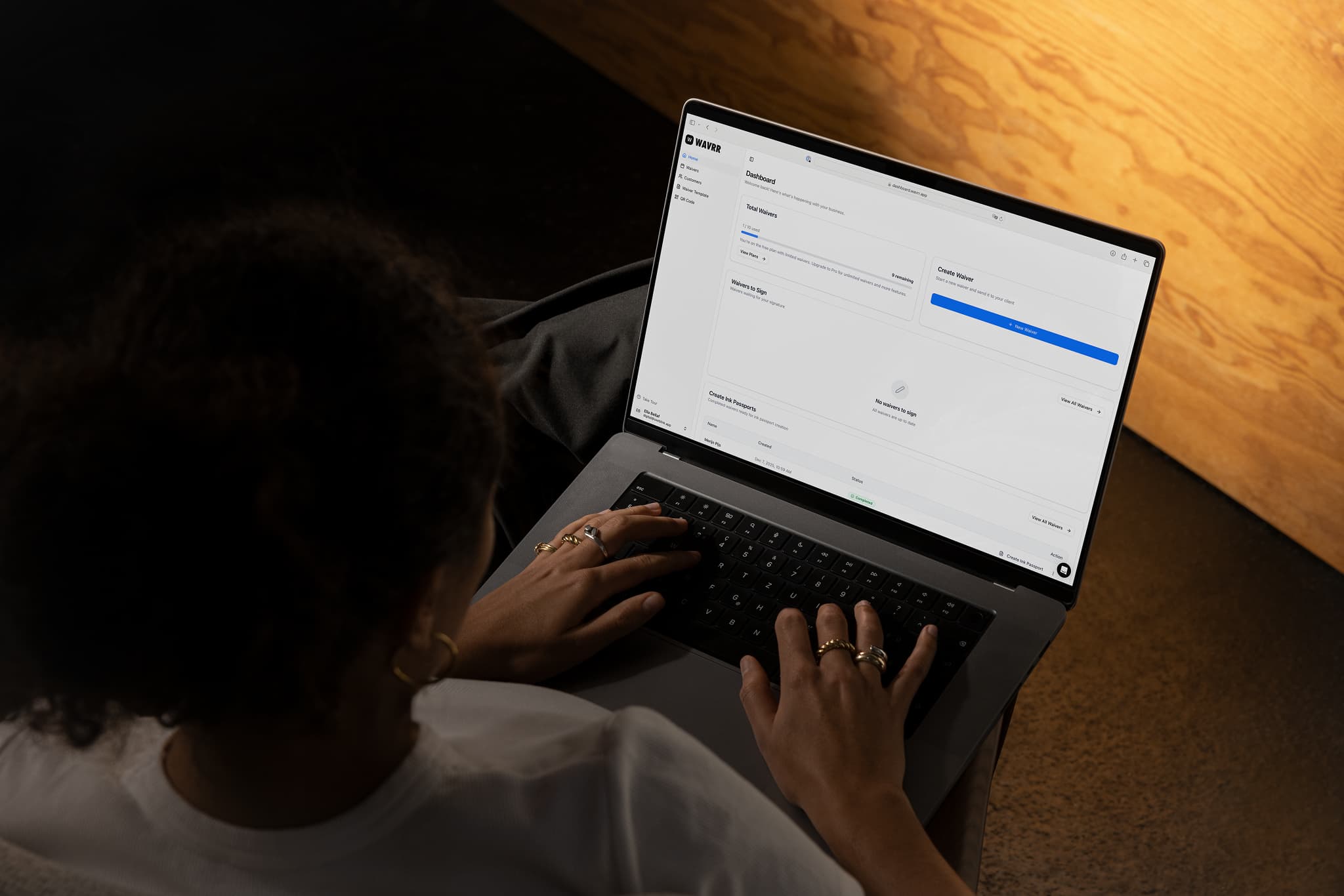
Wavrr is a consent layer for tattoo, piercing and PMU studios. It covers consent templates, signing by link, QR code or in person, optional photo ID, minors and guardian signatures, automatic signed PDFs, ink passports and bulk exports, with data hosted in the EU. It does not do booking, deposits or POS, and works next to whatever you use for those.
Some newer features, including an AI template builder, aftercare templates and records, and your business logo on PDFs, are being rolled out gradually.
FAQ
Do I need both booking software and consent software?
Not always. If your booking suite includes consent forms that meet your local requirements, one tool may be enough. Many studios still add a dedicated consent tool for deeper records, ink passports and easier exports.
Can a consent tool work without integrating with my booking tool?
Yes. The simplest setup is to include the consent link in your booking confirmation, or use a QR code at the front desk. No integration is needed.
Which booking tools include consent forms?
Some do, often on specific tiers. For example, at the time of writing Porter lists consent forms on Artist Pro and Studio Pro, and Tattoo Studio Pro includes in-studio consent forms. Check each vendor's current plans.
What should a tattoo consent record include?
It depends on where you work. Common elements are health questions, ID and age checks, guardian consent for minors where allowed, the signature and date, and session details such as inks used. Confirm requirements with your local health authority or regulator.
What happens to my consent records if I change booking tools?
If consent lives in a separate tool, your records stay where they are. If it lives inside a booking suite, export everything before you leave and check how long you are required to keep it.
Related guides
- All Wavrr comparisonsCompare Wavrr with booking suites, form builders and waiver platforms.
- Booking forms vs consent forms vs ink passportsUnderstand which document belongs at each stage of the tattoo workflow.
- Wavrr featuresConsent forms, signing, client records and ink passports in one place.
- Wavrr pricingThe free plan, Artist and Studio, side by side.
Keep reading.
- Wavrr vs Porter: All-in-One Tattoo Booking Suite or a Focused Consent Layer?Porter is an all-in-one tattoo booking and shop suite. Wavrr is a focused consent, waiver and ink passport layer. Here is how they differ, what each costs as of October 2026, and when it makes sense to run Wavrr next to Porter or any other booking tool.Read article
- Wavrr vs Tattoo Studio Pro: Studio Management Suite or Dedicated Consent Software?Tattoo Studio Pro is a studio management suite covering booking, deposits, POS and websites, with consent forms built in. Wavrr is a focused consent, waiver and ink passport tool. Here is how to decide which one, or which combination, fits your studio.Read article