Love Your Art, Not the Paperwork: How Digital Consent Gives Tattoo Artists Their Creative Time Back
Admin rarely takes one big block of your day. It takes five minutes here and ten minutes there, and those minutes are exactly the ones you would otherwise spend drawing. This guide walks through a simple time audit for tattoo artists, shows which consent and intake tasks can move to before the appointment, and suggests concrete ways to use the reclaimed time for flash, custom design, and your portfolio, from February's Valentine's flash to the rest of the year.
Most tattoo artists did not get into the trade to file paper. Yet a surprising share of a working day goes to tasks that have nothing to do with the needle or the sketchbook: chasing signatures, re-asking health questions, deciphering handwriting, scanning forms, and digging through binders when someone asks for an old record.
February makes this painfully visible. Valentine's flash, couples booking matching pieces, and friends coming in together all mean more clients per day, and every extra client brings another form. But the problem is not seasonal. If admin is eating your drawing time in February, it is eating it in October too.
This post is about getting that time back: a simple audit, what to move out of the appointment, and what to do with the hours you recover.
Why admin hits creative time hardest
Admin rarely arrives as one block you can schedule around. It arrives in fragments: a client unsure which form to fill in, a missing guardian signature, a binder nobody can find. Each interruption is small, but each one breaks your focus, and creative work goes best in uninterrupted stretches. Ten scattered minutes of admin can cost you a whole drawing session.
So the goal is not just "less paperwork". It is fewer interruptions, and admin that happens before the client walks in rather than in the middle of your day.
Run a one-week admin time audit
You cannot fix what you have not measured. For one normal week, keep a simple log, on paper or in your phone notes. Every time you do something that is not tattooing, drawing, or talking to a client about their design, write down what it was and roughly how long it took.
Group the entries into categories like these:
| Admin task | Where it usually happens | Can it move before the appointment? |
|---|---|---|
| Client fills in consent form | At the counter, on arrival | Yes, send a signing link with the booking confirmation |
| Re-asking health or medication questions | At the station, before setup | Mostly, the form can ask them in advance |
| Checking forms for missing fields | At the counter | Yes, required fields can be enforced by the form |
| Checking photo ID | At the counter | Partly, ID can be uploaded with the form, and still checked in person |
| Filing or scanning paper forms | After hours | Yes, signed forms can be stored automatically |
| Finding an old record | Whenever someone asks | Faster with searchable client history |
| Writing down inks and batch numbers | During or after the session | Faster with saved inks and an ink passport |
At the end of the week, add up the time per category. Many artists are surprised less by the total than by when it happens: right before sessions, or late at night when they meant to be drawing.
Move paperwork to before the appointment
The single biggest change is timing. If the consent form is signed before the client arrives, the appointment starts with the design conversation instead of a clipboard.
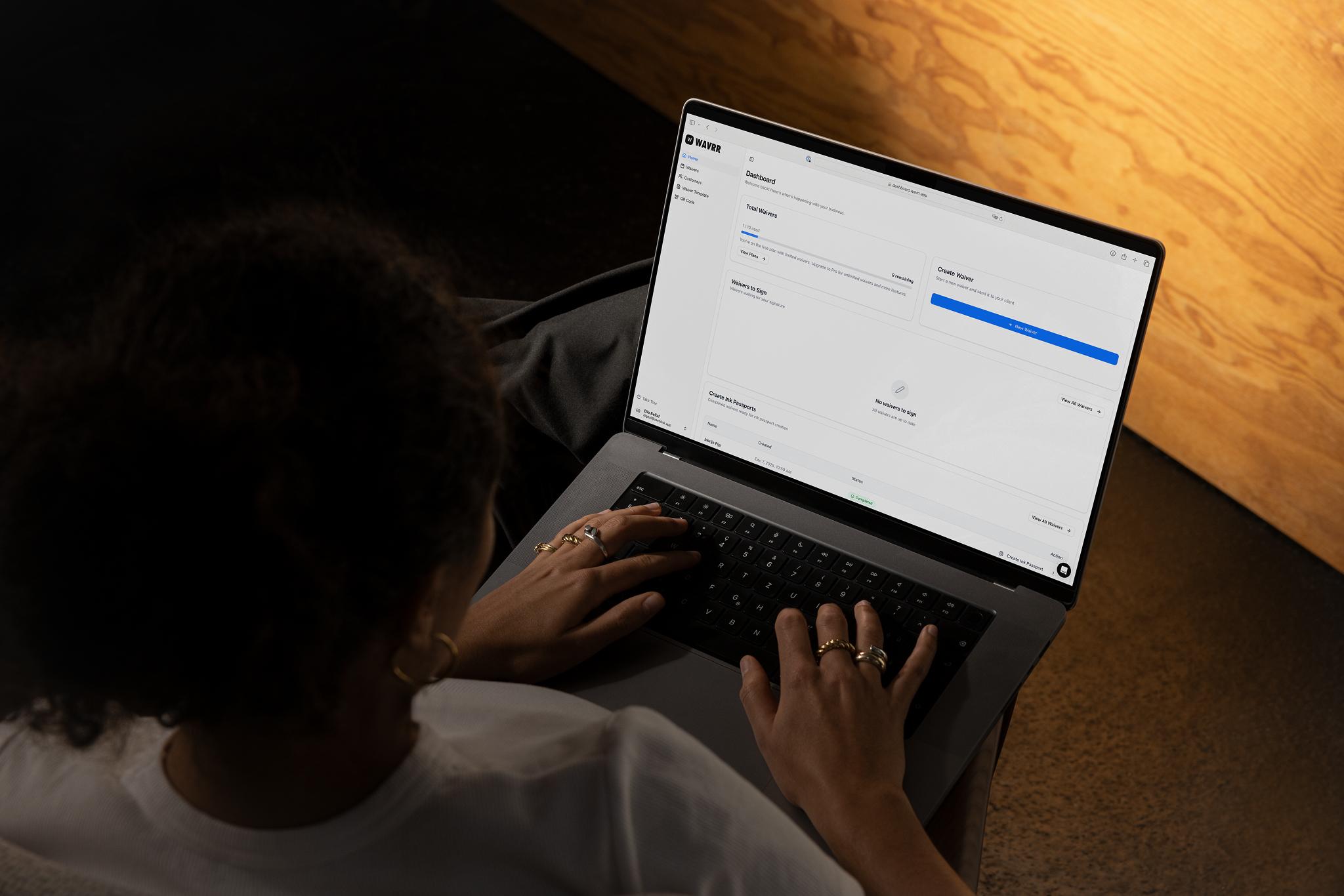
With a digital consent tool like Wavrr, you can share a waiver by link through email, Instagram DM, WhatsApp, or whatever channel you already use to confirm bookings. The client signs on their own phone, at their own pace, and the signed PDF lands in your records automatically. They also get a confirmation email with a copy.
A few practical habits help:
- Send the link with the booking confirmation. Wavrr is not a booking tool, so it works next to whatever booking setup you already have. Paste the link into your confirmation message template once and it goes out every time.
- Put health questions in the form, not in your head. Use health and medical questions so you are not reciting the same list at every station. You still review the answers with the client before you start.
- Ask for photo ID in advance where it fits your process. Wavrr can ask a client for photo ID as part of the form. Many studios still glance at the physical ID on arrival.
- Keep a QR code at the desk for anyone who did not sign yet. A printed QR code catches late bookings and walk-ins without handing out paper.
What should stay at the appointment: the conversation about placement, the final design check, any questions the client wants to talk through, and your own judgement about whether it is a good day to tattoo them. Digital forms take away the clerical part, not the human part.
Stop rebuilding the same form
Paper forms get photocopied until they are grey, retyped, and replaced by whatever version a new artist brings along. Set up one template instead, set it as the default, and edit it in one place. Wavrr includes starter templates for tattoo, piercing, and PMU, and an AI template builder that drafts a template from a description of your studio is being rolled out. Whatever you start from, review the wording yourself: rules on consent, health questions, and minors vary by country and region, so check with your local health authority, insurer, or a lawyer.
Spend the reclaimed time on purpose
Recovered time has a way of disappearing into more admin, more messages, or more scrolling. Decide in advance where it goes. Some ideas that tend to pay back:
- A fixed weekly drawing block. Even two protected hours a week adds up to a lot of finished flash over a year.
- Seasonal flash sheets. Valentine's in February is the obvious one, but Halloween, Friday the 13th, and local events all work. Drawing them early means you are not finishing linework the night before.
- Matching and couples designs. Paired designs, or one design split across two people, are popular around Valentine's and anniversaries, and need more planning than a single piece.
- Portfolio upkeep. Photograph healed work and retire old pieces. A portfolio that reflects what you want to tattoo attracts that work.
Running a flash day or couples event brings its own logistics, covered in our flash day and matching-tattoo playbook.
Keep session records light, too
If you record which inks you used, save inks in ink registration once, with brand, colours, supplier, and batch number, and pick them when you create an ink passport for a session. Record it once, in the moment, and never reconstruct it later.
A realistic expectation
Going digital will not remove admin entirely. What changes is where and when it happens: mostly before the appointment, mostly by the client, and mostly without interrupting you.
If you are weighing whether to switch at all, our breakdown of the practical reasons tattoo artists switch to digital consent forms compares paper and digital point by point. If you have already decided, the guide to moving from paper to digital in a week covers the migration itself.
FAQ
How much time will I actually save?
It depends on your volume and how your current process works, which is why the one-week audit is useful. Measure your own numbers before and after rather than relying on general claims.
Do clients actually sign before they arrive?
Most will if the link arrives with their booking confirmation and a short note that it is required. Keep a QR code at the desk for anyone who forgets, so they can sign on their own phone while you set up.
Can I try this without committing?
Yes. New Wavrr accounts get 3 consent forms on the Free plan with full features and no card, which is enough to sign a test waiver and run it with a couple of real clients. See pricing for the paid plans.
Does this replace my booking software?
No. Wavrr handles consent forms, signed records, and ink passports. It works next to whatever you use for booking, deposits, and payments.
Related guides
- Running a flash day or matching-tattoo eventA practical playbook for walk-ins, QR signing, ID checks, and queue management on busy event days.
- Signing by link or QR codeSend a link before the appointment so clients sign on their own phone.
- Digital consent formsReady-made tattoo, piercing and PMU templates you can adapt to your studio.
- Booking software vs consent softwareSee where consent fits next to the booking tool you already use.
- Compare consent toolsSide-by-side comparisons of Wavrr and other booking and waiver tools.
Keep reading.
- Booking Software vs Consent Software: How Tattoo Studios Build Their 2026-2027 StackBooking software and consent software solve different problems. This guide explains the job of each layer, when an all-in-one suite makes sense, when to combine focused tools, and example stacks for solo artists, small studios and multi-artist shops.Read article
- Wavrr vs Porter: All-in-One Tattoo Booking Suite or a Focused Consent Layer?Porter is an all-in-one tattoo booking and shop suite. Wavrr is a focused consent, waiver and ink passport layer. Here is how they differ, what each costs as of October 2026, and when it makes sense to run Wavrr next to Porter or any other booking tool.Read article